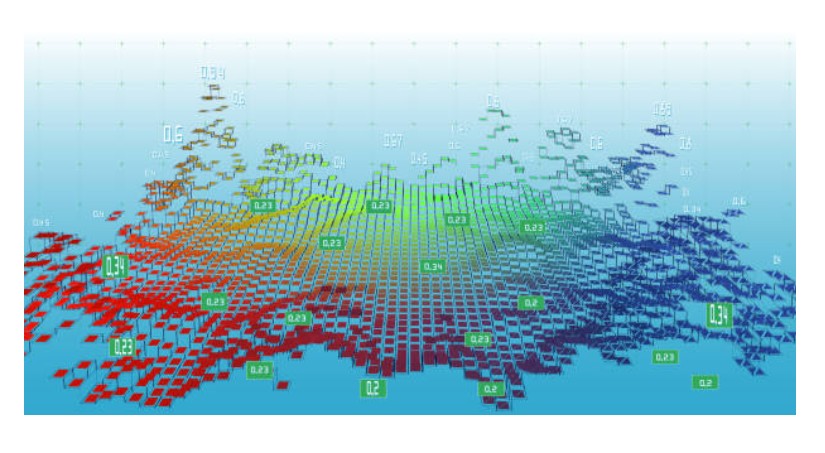
This 5-day training course provides participants with a comprehensive understanding of spatial analysis techniques using QGIS, a powerful and widely used open-source Geographic Information System. The course is designed to move beyond basic mapping, equipping attendees with the analytical skills to uncover patterns, relationships, and trends in geographic data. Through a blend of theoretical concepts and extensive hands-on exercises, participants will learn how to apply a wide array of spatial analysis tools to solve real-world problems across various disciplines, enhancing their ability to derive meaningful insights from spatial information.
The curriculum covers fundamental vector and raster data analysis techniques, including overlay analysis, buffering, and density mapping. It then progresses to more advanced topics such as network analysis, terrain analysis, and hydrological modeling. Participants will also delve into geoprocessing tools and Model Builder for automating workflows, explore spatial statistics, and learn about Multi-Criteria Decision Analysis (MCDA). The training concludes with an introduction to time-series spatial analysis and practical project work to solidify their understanding.
Who Should Attend the Training
- GIS analysts and specialists
- Urban planners
- Environmental scientists
- Researchers and academics
- Public health professionals
- Data scientists
- Anyone involved in spatial decision-making
Objectives of the Training
Upon completion of this training, participants will be able to:
- Understand the core concepts and applications of spatial analysis.
- Efficiently use QGIS for various spatial analysis tasks.
- Perform fundamental vector data analysis operations (e.g., buffering, overlay, dissolve).
- Conduct essential raster data analysis techniques (e.g., reclassification, map algebra, density).
- Apply network analysis tools for routing and service area determination.
- Perform terrain analysis, including slope, aspect, and hydrological modeling.
- Automate complex spatial analysis workflows using QGIS's Model Builder.
- Apply basic spatial statistical methods to identify patterns and clusters.
- Utilize Multi-Criteria Decision Analysis (MCDA) for site suitability.
- Conduct time-series spatial analysis to monitor changes over time.
Personal Benefits
- Advanced skill acquisition: Gain expertise in critical spatial analysis methodologies.
- Enhanced problem-solving: Apply powerful analytical tools to complex spatial challenges.
- Career advancement: Boost your profile with highly sought-after GIS analytical skills.
- Increased efficiency: Learn to automate repetitive tasks and optimize workflows.
- Data-driven insights: Make more informed decisions based on robust spatial analysis.
Organizational Benefits
- Improved decision-making: Leverage advanced spatial insights for strategic planning.
- Optimized resource allocation: Use analytical models for efficient resource deployment.
- Enhanced operational efficiency: Streamline data processing and analysis workflows.
- Better predictive capabilities: Forecast spatial trends and impacts with greater accuracy.
- Stronger project outcomes: Achieve more defensible and insightful results in spatial projects.
Training Methodology
- Interactive lectures and conceptual explanations
- Extensive hands-on computer exercises using QGIS
- Step-by-step demonstrations of analytical workflows
- Case studies and real-world problem-solving scenarios
- Group discussions and collaborative analytical tasks
- Q&A sessions with expert trainers
- Individual assignments to reinforce learning
Trainer Experience
Our trainers are highly experienced GIS professionals and spatial analysts with extensive backgrounds in applying advanced spatial analysis techniques across diverse sectors such. They possess advanced degrees in Geographic Information Science or related fields and have a proven track record of conducting complex spatial analyses, developing custom geoprocessing solutions, and delivering effective training programs. Their expertise ensures that participants receive instruction that is both theoretically sound and rich with practical insights, drawing on a wealth of knowledge from numerous analytical projects and research initiatives.
Quality Statement
We are committed to delivering high-quality training programs that are both comprehensive and practical. Our courses are meticulously designed, continually updated to reflect the latest advancements in GIS software and spatial analysis methodologies, and delivered by expert instructors. We strive to empower participants with the knowledge and skills necessary to excel in their respective fields, ensuring a valuable and impactful learning experience that directly translates to real-world application.
Tailor-made Courses
We understand that every organization has unique training needs. We offer customized spatial analysis courses designed to address your specific analytical challenges and objectives. Whether you require a focused deep dive into a particular analysis technique, a different duration, or a blend of topics using specific datasets, we can develop a bespoke training solution to meet your requirements. Please contact us to discuss how we can tailor a program for your team.
Course Duration: 5 days
Training fee: USD 1300
Module 1: Introduction to Spatial Analysis and QGIS
- Definition and importance of spatial analysis in various fields.
- Types of spatial questions and how GIS helps answer them.
- Overview of QGIS interface and essential tools for spatial analysis.
- Data preparation for spatial analysis: Projections, data cleaning.
- Understanding common spatial data formats (vector, raster) for analysis.
- Practical session: Setting up a QGIS project, loading various spatial datasets, and performing basic data inspection.
Module 2: Vector Data Analysis Techniques
- Buffering: Creating proximity zones around points, lines, and polygons.
- Overlay Analysis: Intersect, Union, Difference, Symmetrical Difference, Erase.
- Dissolve: Aggregating features based on attribute values.
- Clip and Merge: Extracting and combining spatial features.
- Point in Polygon and Line in Polygon analysis: Assigning attributes based on spatial containment.
- Practical session: Performing buffering, overlay analysis (e.g., Intersect), and dissolve operations on vector data.
Module 3: Raster Data Analysis Techniques
- Understanding raster data models: Cells, grids, and values.
- Raster Reclassification: Assigning new values to raster cells.
- Raster Calculator/Map Algebra: Performing mathematical operations on rasters.
- Density Analysis: Creating heatmaps from point data.
- Interpolation: Creating continuous surfaces from discrete points (IDW, Kriging introduction).
- Practical session: Performing raster reclassification, using the Raster Calculator, and creating a density map.
Module 4: Network Analysis
- Introduction to network datasets: Nodes, edges, and connectivity.
- Building a network dataset in QGIS.
- Shortest Path Analysis: Finding the most efficient routes.
- Service Area Analysis: Determining reachable areas within a given cost/time.
- Closest Facility Analysis: Identifying the nearest point of interest.
- Practical session: Building a network dataset and performing shortest path and service area analysis.
Module 5: Terrain Analysis and Hydrology
- Digital Elevation Models (DEMs) and their applications.
- Deriving terrain parameters: Slope, Aspect, Hillshade, Contour lines.
- Visibility Analysis: Line of Sight, Viewshed analysis.
- Hydrological analysis: Flow direction, flow accumulation, watershed delineation.
- Identifying stream networks and catchments.
- Practical session: Generating slope, aspect, and hillshade maps from a DEM, and delineating watersheds.
Module 6: Geoprocessing Tools and Model Builder
- Overview of QGIS geoprocessing framework.
- Using the Processing Toolbox for various analysis functions.
- Introduction to Model Builder: Visual programming for spatial workflows.
- Building and running custom geoprocessing models.
- Automating repetitive analysis tasks.
- Practical session: Creating a custom geoprocessing model in QGIS Model Builder to automate a multi-step analysis.
Module 7: Spatial Statistics and Advanced Analysis
- Introduction to spatial statistics: Describing and modeling spatial patterns.
- Measuring Spatial Autocorrelation: Moran's I, Geary's C.
- Hot Spot Analysis (Getis-Ord Gi)*: Identifying statistically significant clusters.
- Centroid and Mean Center calculation: Locating central tendencies of features.
- Introduction to geostatistical methods (e.g., Kriging for interpolation).
- Practical session: Calculating spatial autocorrelation and performing hot spot analysis on a dataset.
Module 8: Multi-Criteria Decision Analysis (MCDA)
- Concepts of MCDA in a GIS context.
- Defining criteria and their weights for decision-making.
- Suitability analysis: Combining multiple layers for optimal site selection.
- Weighted Overlay analysis for decision support.
- Case studies of MCDA applications in environmental planning, urban development.
- Practical session: Performing a weighted overlay analysis to identify suitable sites based on multiple criteria.
Module 9: Time-Series Spatial Analysis
- Understanding spatio-temporal data.
- Visualizing change over time with animated maps.
- Analyzing trends and anomalies in time-series spatial data.
- Introduction to plugins or tools for time-series analysis in QGIS.
- Applications in monitoring environmental changes (e.g., deforestation, urban growth).
- Practical session: Creating a time-series animation of spatial data to visualize changes over different periods.
Module 10: Project Work and Case Studies
- Review of all spatial analysis techniques learned.
- Guided individual or group project work on a comprehensive spatial analysis problem.
- Designing an analytical workflow from problem definition to results presentation.
- Discussion of real-world case studies showcasing diverse applications of spatial analysis.
- Best practices for documenting and presenting spatial analysis results.
- Practical session: Applying a combination of learned techniques to complete a mini-project, presenting the methodology and findings.
Requirements:
· Participants should be reasonably proficient in English.
· Applicants must live up to Armstrong Global Institute admission criteria.
Terms and Conditions
1. Discounts: Organizations sponsoring Four Participants will have the 5th attend Free
2. What is catered for by the Course Fees: Fees cater for all requirements for the training – Learning materials, Lunches, Teas, Snacks and Certification. All participants will additionally cater for their travel and accommodation expenses, visa application, insurance, and other personal expenses.
3. Certificate Awarded: Participants are awarded Certificates of Participation at the end of the training.
4. The program content shown here is for guidance purposes only. Our continuous course improvement process may lead to changes in topics and course structure.
5. Approval of Course: Our Programs are NITA Approved. Participating organizations can therefore claim reimbursement on fees paid in accordance with NITA Rules.
Booking for Training
Simply send an email to the Training Officer on training@armstrongglobalinstitute.com and we will send you a registration form. We advise you to book early to avoid missing a seat to this training.
Or call us on +254720272325 / +254725012095 / +254724452588
Payment Options
We provide 3 payment options, choose one for your convenience, and kindly make payments at least 5 days before the Training start date to reserve your seat:
1. Groups of 5 People and Above – Cheque Payments to: Armstrong Global Training & Development Center Limited should be paid in advance, 5 days to the training.
2. Invoice: We can send a bill directly to you or your company.
3. Deposit directly into Bank Account (Account details provided upon request)
Cancellation Policy
1. Payment for all courses includes a registration fee, which is non-refundable, and equals 15% of the total sum of the course fee.
2. Participants may cancel attendance 14 days or more prior to the training commencement date.
3. No refunds will be made 14 days or less before the training commencement date. However, participants who are unable to attend may opt to attend a similar training course at a later date or send a substitute participant provided the participation criteria have been met.
Tailor Made Courses
This training course can also be customized for your institution upon request for a minimum of 5 participants. You can have it conducted at our Training Centre or at a convenient location. For further inquiries, please contact us on Tel: +254720272325 / +254725012095 / +254724452588 or Email training@armstrongglobalinstitute.com
Accommodation and Airport Transfer
Accommodation and Airport Transfer is arranged upon request and at extra cost. For reservations contact the Training Officer on Email: training@armstrongglobalinstitute.com or on Tel: +254720272325 / +254725012095 / +254724452588